Google Search Console Regex Filters: How To Uncover AI-Engine Search Patterns


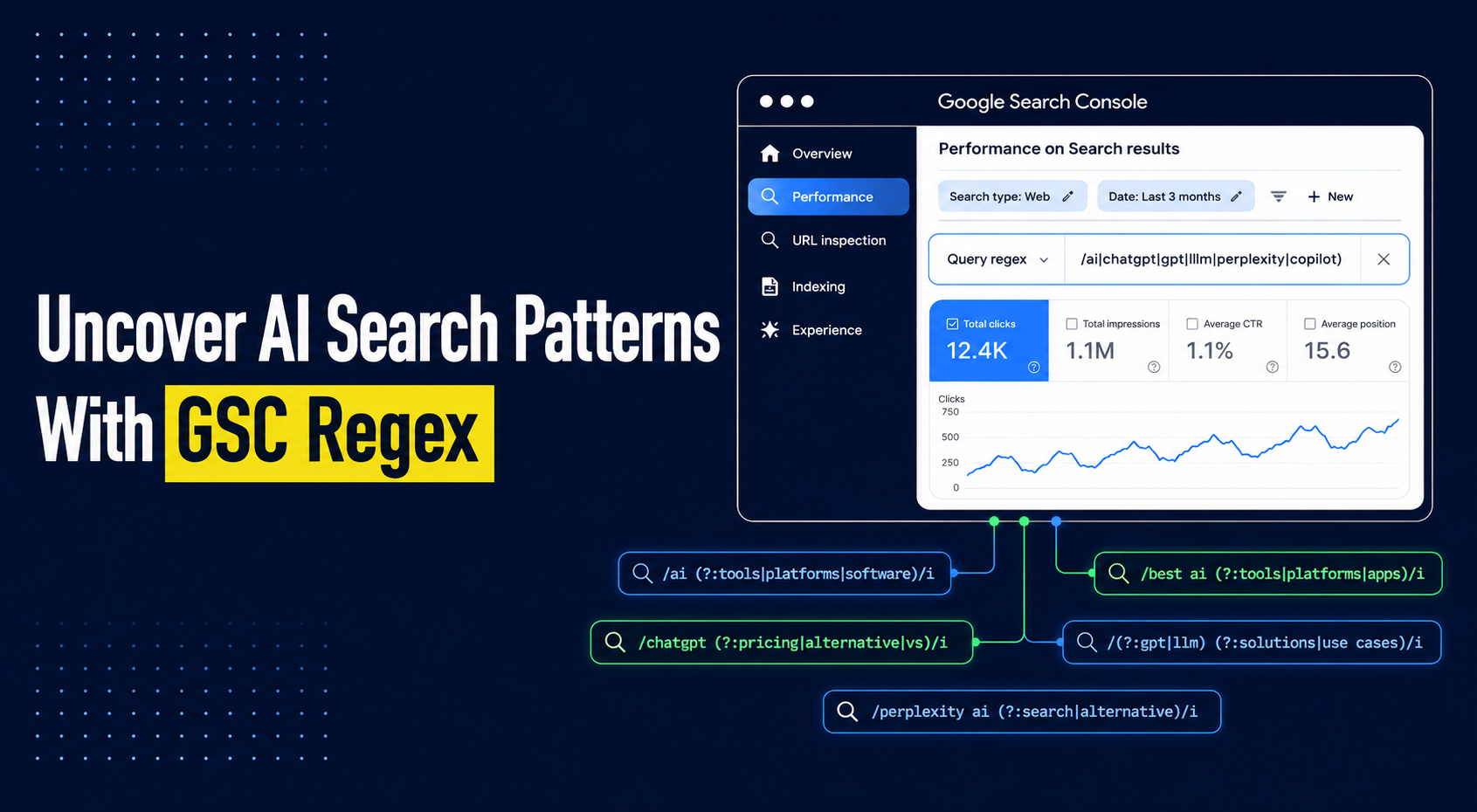
Most SEOs are sitting on a goldmine inside Google Search Console and don't know it. The default filters surface the obvious keywords. The interesting stuff hides one layer below. That is where buyer-intent phrases, prompt-style questions people type into ChatGPT, and the exact conversational queries triggering AI Overviews on your pages actually live.
Regex filters are the only way to pull that data out of GSC at scale. This guide walks through the syntax that matters, nine ready-to-use patterns built for the AI search era, and how to turn what you find into a content strategy that ranks and gets cited.
Regex Filters In Google Search Console, Explained
A regex filter in Google Search Console is a smart filter that finds many related search queries at once, instead of just one word at a time. You write a short pattern, and GSC pulls every query that fits it. SEOs use it to find long-tail keywords, question searches, and prompt-style queries that normal filters miss.
Most SEOs use GSC filters like a search box. You type a word, and you get queries with that word in them. Simple, but limited.
Regex works differently. You describe the shape of a query, not the exact word.
So one filter can pull every question people ask on your site. Or every long phrase with 10 words or more. Or every prompt-style search that feeds AI Overviews.
This matters more than it used to. Backlinko's study of 306 million keywords found that 91.8% of all searches are long-tail. Those are the exact queries hiding behind your top keywords in GSC.
Google Search Console lets you use regex on the Performance report. You can filter for queries that match a pattern, or filter out the ones that do.
The engine behind it is called RE2. Google built it. It is fast and safe, but it does not support a few advanced tricks like lookaheads and backreferences. So a regex pattern from Python or JavaScript may not always work here.
That is the setup. Now the real question. Why does this matter more today than it ever did?
Why Regex Filters In GSC Matters For SEO/GEO
Search behaviour has changed. People type full sentences into Google and full prompts into ChatGPT. Most of that natural, conversational language never shows up in traditional keyword tools because the volume is too low to register.
Regex filters help you find that hidden layer inside GSC. In a few clicks, you can pull:
- Question queries your audience is actually typing
- Prompt-style searches that feed AI Overviews and answer engines
- Long-tail phrases that never make it into keyword tools
- Comparison and buyer-intent queries hiding under head terms
This is the raw material for real GEO work in 2026.
Why Regex Filters Beat Standard GSC Filters
Standard GSC filters take one word at a time. If you want every question query on your site, you would need dozens of filters and hours of exporting to a spreadsheet. It works, but it eats time you could spend on strategy instead of stitching data.
Regex does the same job in one pattern. Select Custom (regex) and switch to unbranded to strip branded noise from your results. That gives you a much cleaner dataset to shape your content strategy for the AI search era.
How To Apply A Custom Regex Filter In GSC
Most SEOs assume regex filters live somewhere deep inside GSC. They do not. The option sits right on the surface of the Performance report, one dropdown away from the filter you already use every day. Once you know where it is, applying a regex pattern takes under a minute. Faster than exporting queries to a spreadsheet and running find-and-replace.
Open the Performance report inside your GSC property, then follow the three steps below.
Step 1: Open a new query filter. Click the + New button at the top of the report and choose Query from the dropdown. This is the same filter you use to search for a single keyword. The difference is what you do inside it next.
Step 2: Switch the filter type to Custom (regex). In the filter dropdown, change the default "Queries containing" option to Custom (regex). A second dropdown appears next to it with two choices. Pick matches regex to pull queries that fit your pattern, or doesn't match regex to filter them out. The second option is how you strip branded queries or internal noise from your reports in one move.
.png)
Step 3: Paste your regex pattern and apply. Drop your pattern into the text field and click Apply. The report will refresh to show only the queries that match. From here you can layer on a date range, a country, or a device filter to narrow the segment further. Export the filtered data to Sheets or Looker Studio when you want to work with it outside GSC.
That is the whole workflow. The value is not in the clicks. It is in the pattern you write. And that is where most SEOs stop, because they never learned how to build one. The next two sections fix that. First the syntax you need to know, then the exact patterns to run today.
Regex Syntax Reference Table
The table below is the foundation. The top half shows what each character does on its own. The bottom half shows how those characters combine into full patterns you can paste into GSC as-is.
Here is why this matters more today than it ever did. According to Ahrefs' 2026 analysis of long-tail keywords, over 95% of conversational long-tail queries have no measurable search volume at all, which means your keyword research tool has no idea they exist. GSC does. And regex is the only way to pull those queries out at the scale you need for AI-era content decisions.
AI-Era Regex Patterns to Add to Your GSC Toolkit
People now search the way they prompt AI tools. They type full questions, use command words like "explain" or "compare," and add qualifiers like "for small business" or "for beginners." These query shapes trigger AI Overviews in Google and mirror how users talk to ChatGPT and Perplexity.
The regex patterns below catch these AI-era query types inside GSC. Select Custom (regex) in your query filter, paste the pattern, and apply.
1. Identifying Long-Tail Keywords
AI Overviews favour detailed, specific queries over short head terms. Users now type 10+ word searches that read like prompts. This pattern catches those long conversational queries that keyword tools ignore because they show zero volume.
Regex Syntax for X words:
2. Filtering Queries with Specific Modifiers
Words like "best," "top," or "alternative" signal that a user is evaluating options. These are the same modifiers AI tools use to generate comparison responses. Catching them helps you build pages that rank in traditional search and get cited in AI answers.
Regex Syntax:
3. Discovering Questions and Informational Queries
Questions are often indicative of users seeking detailed information. By using Regex to filter queries starting with words like "how," "what," or "why," you can identify informational keywords that can guide your content creation efforts.
Regex Syntax:
4. Filtering Negation and Constraint Queries
Some users search with words like "without," "not," or "instead of." These queries show what people want to avoid or skip. Regex helps you filter these out so you can spot content gaps other tools miss.
Regex Syntax:
5. Finding Trust and Verification Queries
Before buying, users often search "reviews," "is it legit," "reddit," or "pricing." These queries show strong buying intent. Regex lets you pull these out so you can build content that answers doubts before users leave.
Regex Syntax:
6. Capturing Command-Style Prompts
This is the strongest AI-era signal. Words like "explain," "compare," and "help me" are how people talk to ChatGPT and Gemini. These same command words now appear in Google searches. This pattern finds queries where users expect a direct, structured answer from your page.
Regex Syntax:
7. Spotting Comparison Queries
Words like "vs," "alternative to," or "difference between" show a user comparing options. Regex helps you find these queries so you can build comparison pages that convert.
Regex Syntax:
8. Identifying Multi-Part Queries
Some searches combine two questions in one, like "X and then how." Regex helps you catch these compound queries so you can answer both parts in a single page.
Regex Syntax:
9. Targeting Audience Qualifiers
Phrases like "for small business," "for beginners," or "as a saas" tell you exactly who is searching. AI tools use these qualifiers to tailor responses, and pages that match them get cited more often. Generic pages do not. This pattern helps you segment by audience.
Regex Syntax:
Here's the full list of patterns in one table for quick reference:
Run one pattern per session. Export the results into our free SEO keyword research Claude skill. The gap between what people are asking and what your pages currently answer is your next content brief.
Build a Smarter Content Strategy With Regex Query Insights
Regex is not the point. What you do with the data it surfaces is the point.
The teams pulling ahead in AI search right now treat GSC as a prompt library, not just a keyword report. Every pattern in this article gives you a different lens on the same question: what is your audience actually asking, and are your pages actually answering it?
Start small. Run patterns 1, 2, and 5 once a month. Cross-reference the queries against your existing pages. Where a page ranks for a prompt-shaped query but does not answer it directly, that page is your next brief.
The teams that build this into a monthly rhythm compound the advantage. This is the same discipline behind LeadWalnut's SEO strategy and implementation services, and its 4.5 Saleshandy rating for connecting AI search visibility to real pipelines.
FAQ
What is the regex character limit in Google Search Console?
Google Search Console imposes a 4,096-character limit on regex patterns. That is enough for almost every SEO use case, but split into multiple filters if a single pattern is running long.
Are regex filters in GSC case-sensitive?
No. All query data in Google Search Console is stored in lowercase, so regex patterns match without case sensitivity by default. The (?i) flag matters more when writing patterns for URL filters.
Can I use regex on the Page filter or only on Queries in GSC?
Regex works on both the Query filter and the Page filter inside the Performance report. It does not work on Country, Device, or Search Appearance filters, which support only standard match types.
Does GSC show queries from ChatGPT or Perplexity searches?
No. GSC only reports traffic and impressions from Google Search. To track ChatGPT, Perplexity, or Gemini visibility, you need a separate AI search tracking tool like Profound or Ahrefs Brand Radar.
How often should I run regex filters on GSC data?
Run high-value patterns like question queries and comparison queries monthly. Search behaviour shifts fast in the AI search era, and monthly cadence catches new prompt-shaped queries before competitors act on them.


How can LeadWalnut help?

Related Articles

Why Backlinks Are Now The Primary Driver Of Brand Mentions In AI Answers

AI Content Creation That Search Engines And LLMs Trust